How to make a vision board in 5 steps
Updated · Board Your Dreams
You can make a digital vision board in about ten minutes and print it for your planner or keep it on your phone. This guide uses Board Your Dreams, a free vision board maker for the web, iPhone and iPad, but the steps work with any tool.
Start my vision board Free · no signup · works in your browser
Before you start: decide on one feeling
Write down how you want next year to feel in three words, for example "calm, brave, free". Those words become your title and decide which photos make the cut.
1. Pick a template
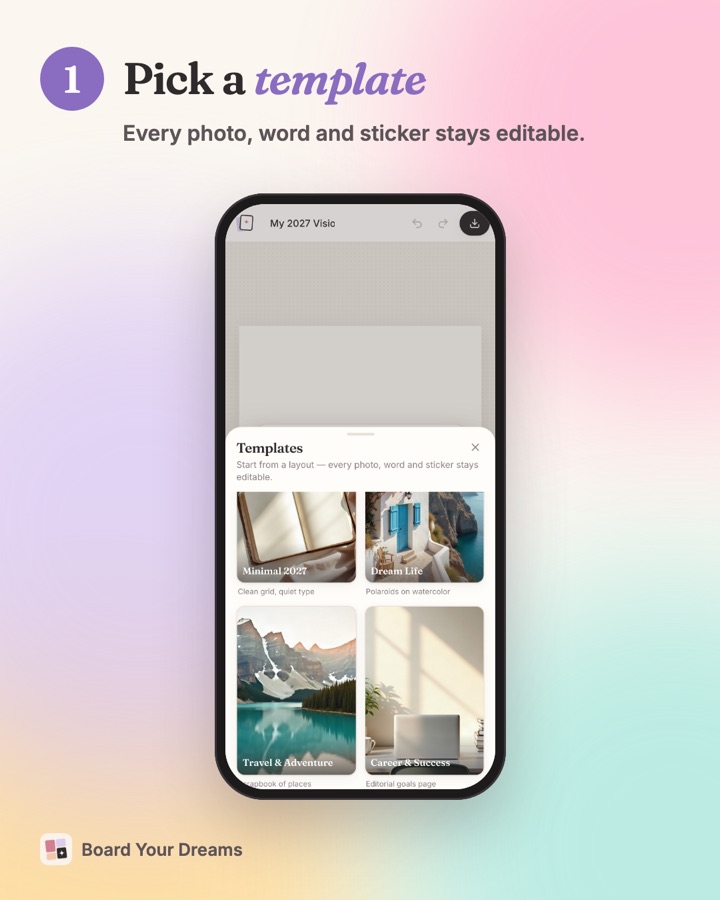
Open the studio and choose a template (dream life, travel, career, wellness, romantic, editorial, minimal and more). Every photo, word and sticker stays editable, so a template is only a starting point.
2. Add your own photos
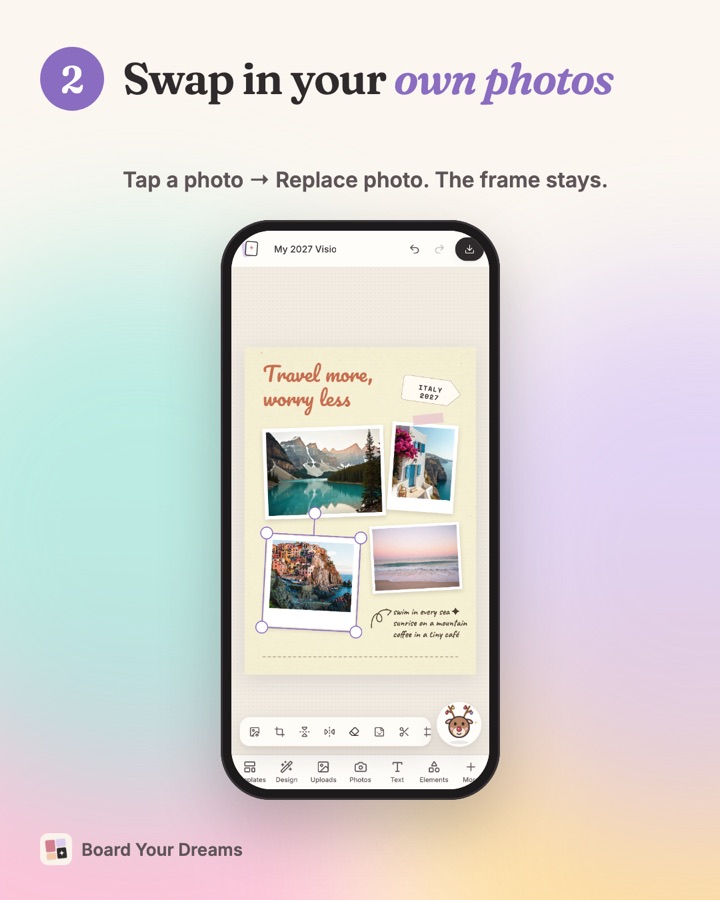
Tap a photo and replace it with one from your camera roll, search free photos from Unsplash, or bring in images you saved on Pinterest. The frame and position stay the same, so the layout never breaks.
3. Turn photos into stickers
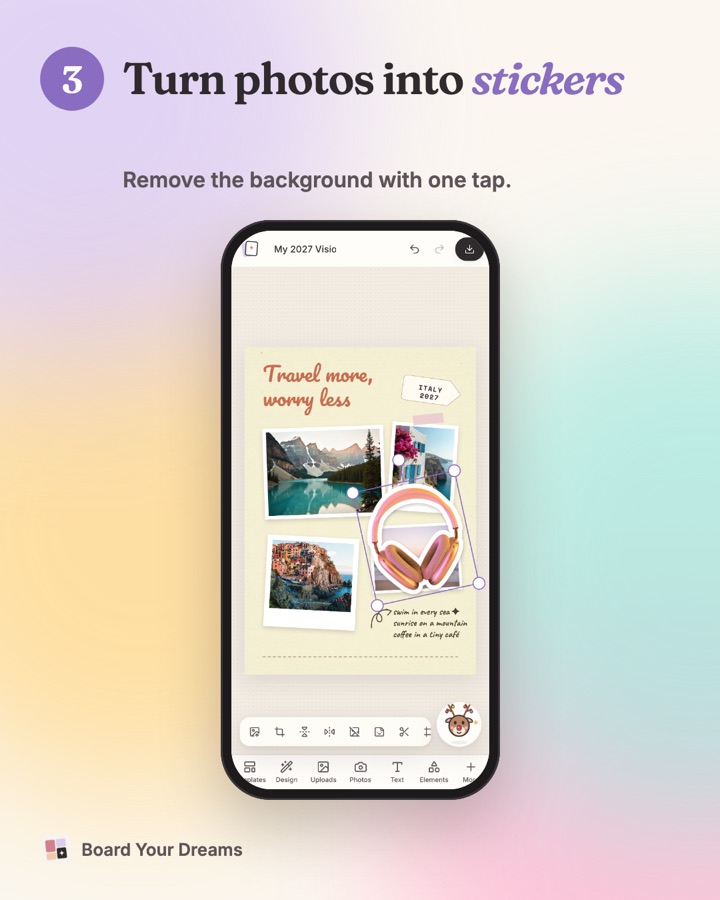
Remove the background from a photo with one tap and it becomes a cut-out sticker with a white outline. Flowers, pets and objects work especially well. On iPhone and iPad this happens on the device.
4. Write your words
Add a title and two to four affirmations in the present tense: "I live by the sea", "I am proud of how far I have come". Choose from elegant serifs, handwritten fonts, bold titles and retro styles, with outline and shadow if you want them to pop.
Prefer to talk? In the iPhone and iPad app an AI voice companion can build the board for you while you describe your dreams, in English or Turkish.
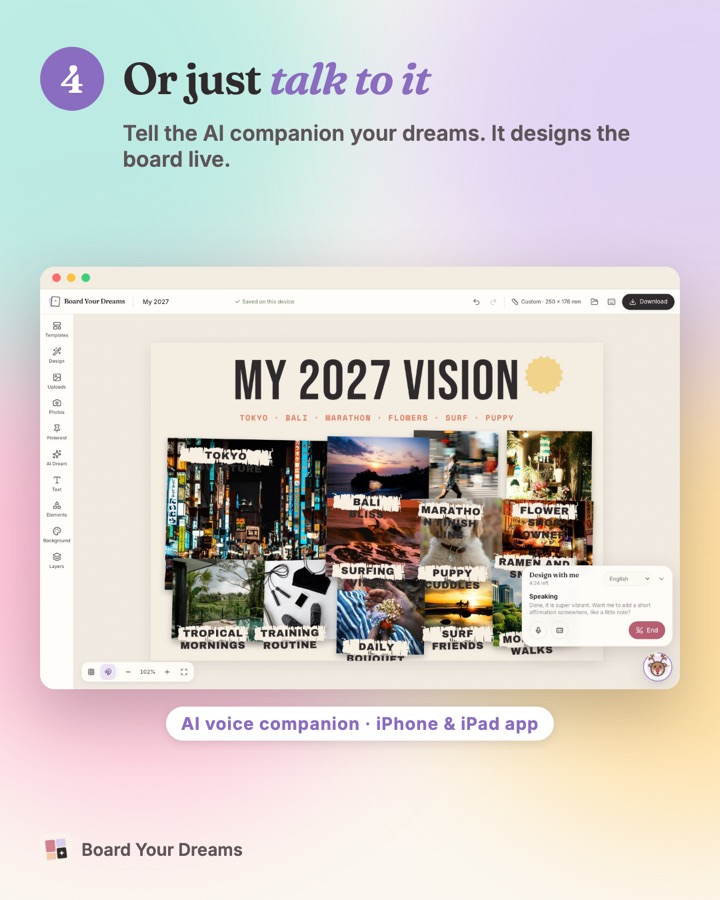
5. Download or print it for your planner
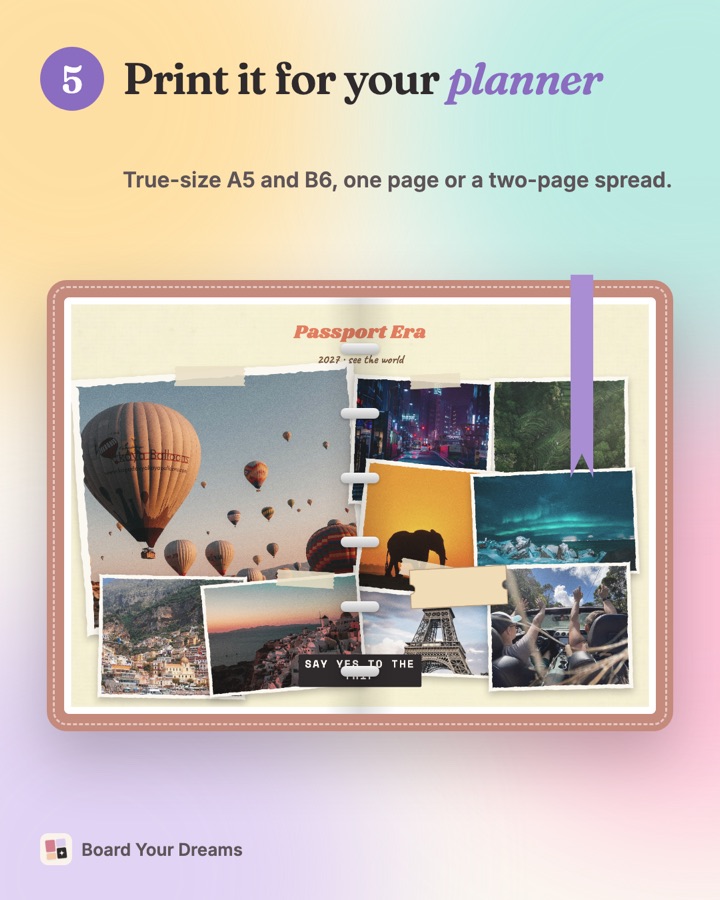
Download a PNG or JPG for your phone wallpaper, or a print-ready PDF at true size for A5, B6 ISO or B6 JIS planners, on one page or across a two-page spread, with margins and cut marks.
Keep it where you will see it
- iPhone Home Screen and Lock Screen widgets: your board, plus a new affirmation every morning.
- An optional daily reminder at the time you choose.
- Your planner or journal, printed at the real size.
- Your phone or laptop wallpaper.
Common mistakes
- Too many goals on one board. Make two boards instead.
- Only stock photos. Mix in a few of your own.
- Goals written in the future tense ("I will…"). Write them as if they are already true.
- Hiding the board in a drawer. Put it where you look every day.
Frequently asked questions
- How do I make a vision board online?
- Open a free vision board maker such as Board Your Dreams in your browser, pick a template, replace the photos with your own, add a title and affirmations, then download it as an image or print-ready PDF. No signup is needed.
- Is there a vision board app for iPhone?
- Yes. Board Your Dreams is available on the App Store for iPhone and iPad. It adds Home Screen and Lock Screen widgets, a daily affirmation, on-device background removal and an optional AI voice companion.
- How do I print a vision board for my planner?
- Choose the planner size (A5, B6 ISO or B6 JIS), one page or a two-page spread, and download the PDF. Print it at 100% scale and cut along the cut marks.
- How long does it take to make a vision board?
- About ten minutes from a template, longer if you collect your own photos. Starting from a template and replacing its photos is the fastest way.
Start my vision board
Free · no signup · works in your browser